

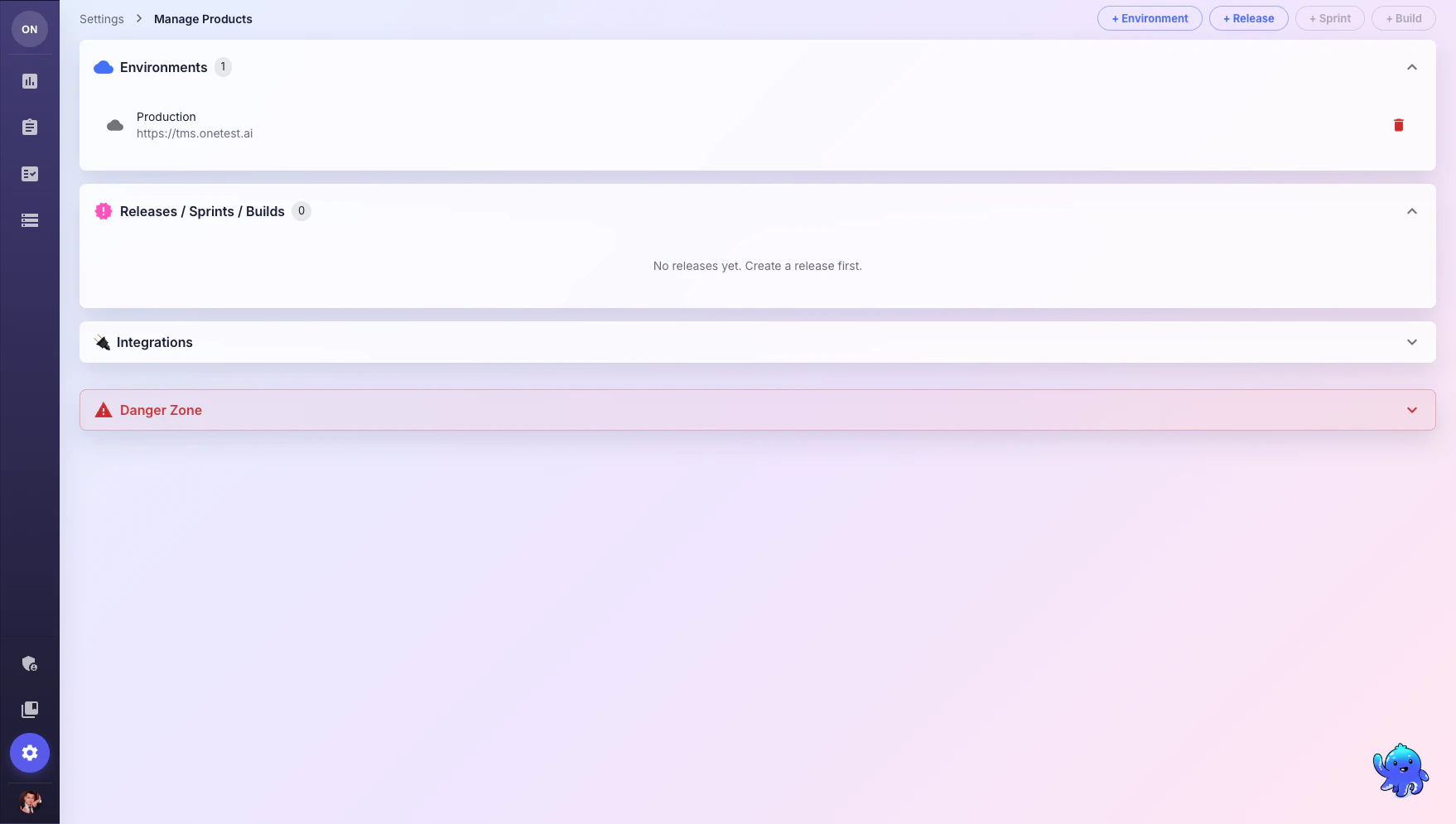
Environments
Environments define where your tests are executed (e.g., Development, Staging, Production).1
Create an Environment
Click + Environment and provide a name and URL.
2
Use in Test Runs
When creating test runs, select the target environment to track which environment was tested.
Releases
Releases track software versions being tested.- Click + Release to create a new release
- Assign a version number and description
- Link test runs to releases for coverage tracking
Sprints
Sprints help organize testing around agile development cycles.- Sprints are created under a release
- Track test progress per sprint
- View sprint-level quality metrics
Sprint and Build creation buttons become active after you create at least one Release.
Builds
Builds track specific CI/CD build versions.- Created under a sprint
- Link automated test results to specific builds
- Track quality trends across builds
Integrations
Langfuse
Connect Langfuse for LLM observability — monitor AI Assistant usage, track token consumption, and analyze conversation quality. Required fields:- Langfuse Host URL
- Public Key
- Secret Key
Danger Zone
What’s Next?
Running Tests
Create test runs linked to environments and releases
Usage & Billing
Monitor product usage and billing