> ## Documentation Index
> Fetch the complete documentation index at: https://onetest.ai/llms.txt
> Use this file to discover all available pages before exploring further.
# Product Settings
> Manage environments, releases, sprints, builds, and integrations
Product settings let you configure the context around your testing: environments where tests run, releases being tested, sprint cycles, and external integrations.
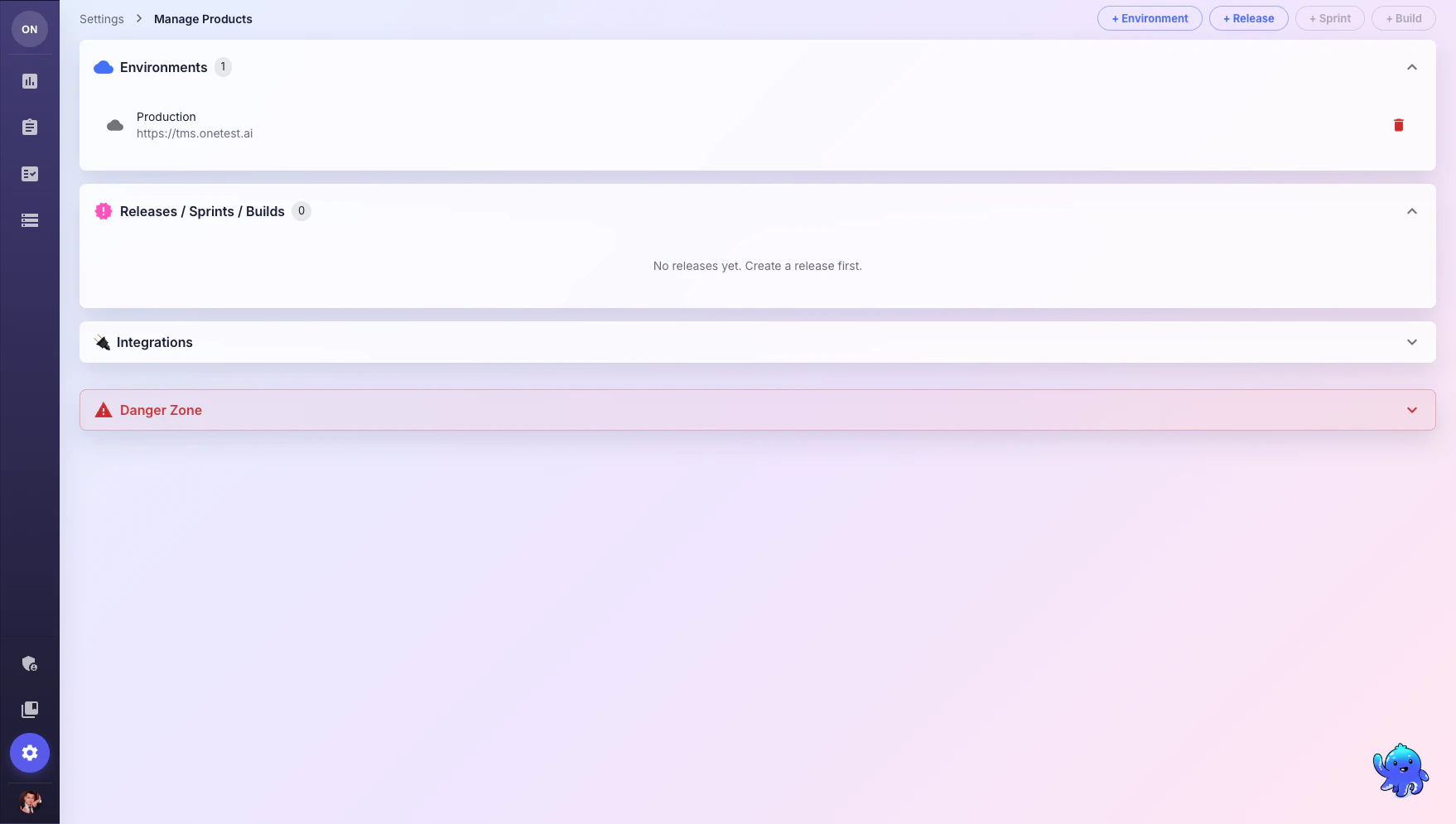 Navigate to **Settings** > **Manage Products** to access these settings.
## Environments
Environments define where your tests are executed (e.g., Development, Staging, Production).
Click **+ Environment** and provide a name and URL.
When creating test runs, select the target environment to track which environment was tested.
## Releases
Releases track software versions being tested.
* Click **+ Release** to create a new release
* Assign a version number and description
* Link test runs to releases for coverage tracking
## Sprints
Sprints help organize testing around agile development cycles.
* Sprints are created under a release
* Track test progress per sprint
* View sprint-level quality metrics
Sprint and Build creation buttons become active after you create at least one Release.
## Builds
Builds track specific CI/CD build versions.
* Created under a sprint
* Link automated test results to specific builds
* Track quality trends across builds
## Integrations
### Langfuse
Connect [Langfuse](https://langfuse.com) for LLM observability — monitor AI Assistant usage, track token consumption, and analyze conversation quality.
**Required fields:**
* Langfuse Host URL
* Public Key
* Secret Key
## Danger Zone
The Danger Zone contains irreversible actions like deleting the product and all its data. Use with extreme caution.
## What's Next?
Create test runs linked to environments and releases
Monitor product usage and billing
Navigate to **Settings** > **Manage Products** to access these settings.
## Environments
Environments define where your tests are executed (e.g., Development, Staging, Production).
Click **+ Environment** and provide a name and URL.
When creating test runs, select the target environment to track which environment was tested.
## Releases
Releases track software versions being tested.
* Click **+ Release** to create a new release
* Assign a version number and description
* Link test runs to releases for coverage tracking
## Sprints
Sprints help organize testing around agile development cycles.
* Sprints are created under a release
* Track test progress per sprint
* View sprint-level quality metrics
Sprint and Build creation buttons become active after you create at least one Release.
## Builds
Builds track specific CI/CD build versions.
* Created under a sprint
* Link automated test results to specific builds
* Track quality trends across builds
## Integrations
### Langfuse
Connect [Langfuse](https://langfuse.com) for LLM observability — monitor AI Assistant usage, track token consumption, and analyze conversation quality.
**Required fields:**
* Langfuse Host URL
* Public Key
* Secret Key
## Danger Zone
The Danger Zone contains irreversible actions like deleting the product and all its data. Use with extreme caution.
## What's Next?
Create test runs linked to environments and releases
Monitor product usage and billing